|
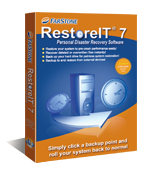
RestoreIT (pronounced “restore-it”) automatically backs up all files on your computer to a protected partition on your hard drive. Features & Benefits Ease of Use
One-click recovery restores your system in seconds Automatic, Ongoing Backup
Automatically back up your entire system every hour, every day, every week, or at other intervals of your choice Multiple Backup Options
Back up your hard drive to a protected local partition, a network drive, a USB device, or to CD or DVD. Back up an entire hard drive, a partition on that hard drive, or select folders and file types File-Level Recovery
Preview and restore personal files — digital photos, Word® documents, MP3s, etc. — without affecting other files on your system Total System Recovery
Restore an operating system damaged by corrupt software, human error, a virus attack, or a software bug Pre-Windows Recovery
Since it loads before Windows, RestoreIT will run when the rest of your system doesn’t! Unlimited Incremental Backup Points
The number of saved restore points is restricted only by available disk space Small Disk Space Requirement
Image compression and incremental backup technology mean that RestoreIT takes up just a small portion of hard drive space on most computers CD/DVD Burning
Create a bootable disc to protect your system from catastrophic failure Password Protection
Restrict user access to RestoreIT; lock your computer at the DOS level RAID 0/1 Support
RestoreIT supports hardware RAID 0 and 1
Any enquiries regarding the Quotation please contact us at 016-6263400 (Abd. Halim).
|




 RestoreIT Data Backup & Recovery Software